App Store Compliance Playbook: Avoid Rejections with AI
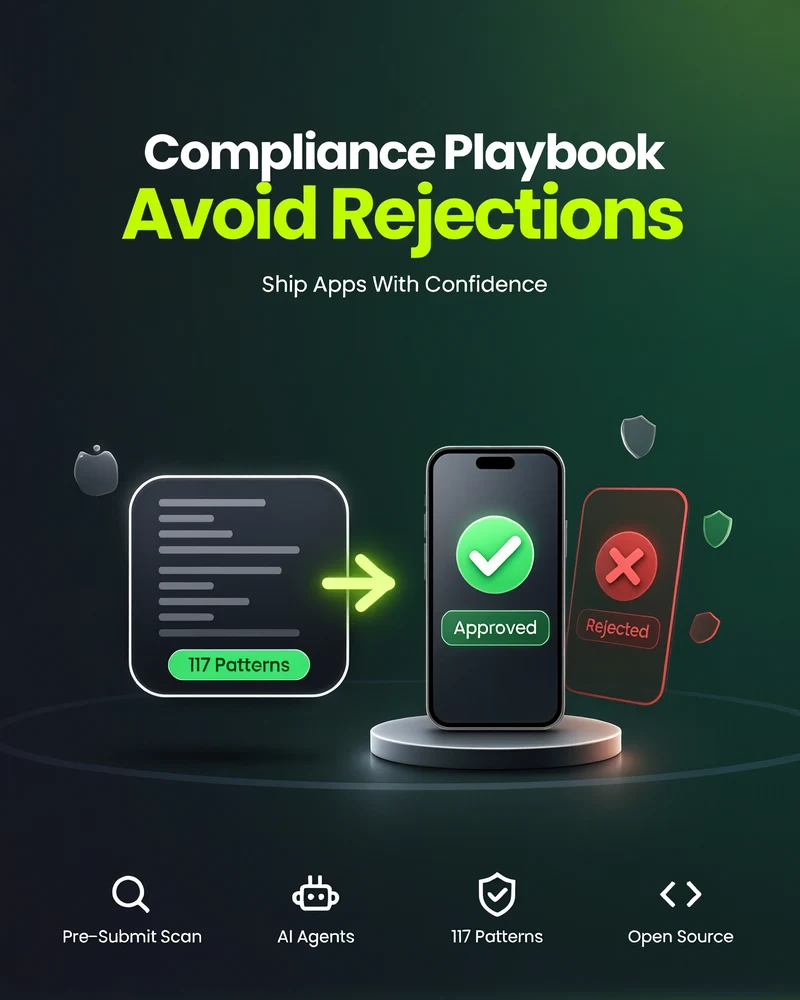
Stop getting your iOS and Android apps rejected! The App Store Compliance Playbook is an open-source tool that helps you catch rejection risks *before* submission, using a playbook of 117 documented patterns and AI coding agents.
What is App Store Compliance Playbook?
The App Store Compliance Playbook is an open-source tool designed to help developers avoid common rejections from the Apple App Store and Google Play. It acts as a pre-submission guard, scanning your app's code and configuration against a comprehensive list of rejection patterns.
Instead of waiting for days to receive a one-line rejection email, this playbook allows you to proactively identify and fix issues *before* submitting. It leverages AI coding agents to automate checks and provides clear guidance on how to resolve potential problems.
Who is it for?
- Mobile app developers (iOS and Android)
- Teams working on app store compliance
- Developers using AI coding agents like Claude Code or Gemini CLI
- Anyone looking to streamline the app submission process and reduce rejection rates
Minimum requirements
- Operating System: Windows, macOS, or Linux (Bash)
- GPU & VRAM: Estimated - A modern GPU with at least 4GB of VRAM is recommended for optimal performance.
- RAM: Estimated - 8GB minimum, 16GB+ recommended for larger projects.
- Free Disk Space: Estimated - 500MB to 1GB (for the repository and temporary files)
- Required Software:
- - Python 3.9 or higher
- - Git
- - CUDA Toolkit (if using GPU acceleration)
Installation, step by step
Before you begin, make sure you have Git and Python installed on your system. A terminal (command prompt or bash) is required for these steps.
- Install Git: If you don't have it already, download and install Git from <https://git-scm.com/downloads>. Follow the instructions for your operating system.
- Install Python: Download Python 3.9 or higher from <https://www.python.org/downloads/>. Make sure to check the box that adds Python to your PATH during installation.
- Open a Terminal: On Windows, search for 'cmd' or 'PowerShell'. On macOS, open 'Terminal' from Applications > Utilities. On Linux, use your preferred terminal application.
- Clone the Repository: In your terminal, type: git clone https://github.com/mjmirza/app-store-compliance ~/repositories/app-store-compliance and press Enter. This will download the playbook to a folder named 'app-store-compliance' in your home directory.
- Navigate to the Directory: Type cd ~/repositories/app-store-compliance and press Enter to move into the downloaded directory.
- Install Dependencies (Linux/macOS): Run bash scripts/install.sh --tool all. This will install any necessary dependencies for your system. Follow the prompts if any appear.
- Windows: On Windows, run the same command from Git Bash: bash scripts/install.sh --tool all.
Your first run
To confirm the playbook is working, use the following command (replace /path/to/your/app with the actual path to your project folder): bash ~/repositories/app-store-compliance/agent-os/hooks/app-store-compliance-guard.sh "/path/to/your/app". The output will show a ranked list of findings, indicating potential rejection risks.
Common problems
- Out of Memory: If you encounter 'out of memory' errors, try closing other applications to free up RAM. Consider increasing the VRAM allocated to your GPU.
- Missing CUDA: Ensure that the correct version of the CUDA Toolkit is installed and configured if you are using GPU acceleration. Verify that your NVIDIA drivers are up-to-date.
- Wrong Python Version: The playbook requires Python 3.9 or higher. Check your Python version with python --version in the terminal. If it's an older version, install a newer one and update your PATH environment variable.
- Permissions Issues: Make sure you have read/write permissions to the project directory and its contents.
Links
You can find the full repository on GitHub at <https://github.com/mjmirza/app-store-compliance>. The project's website with documentation and additional resources is available at <https://mjmirza.github.io/app-store-compliance/>.